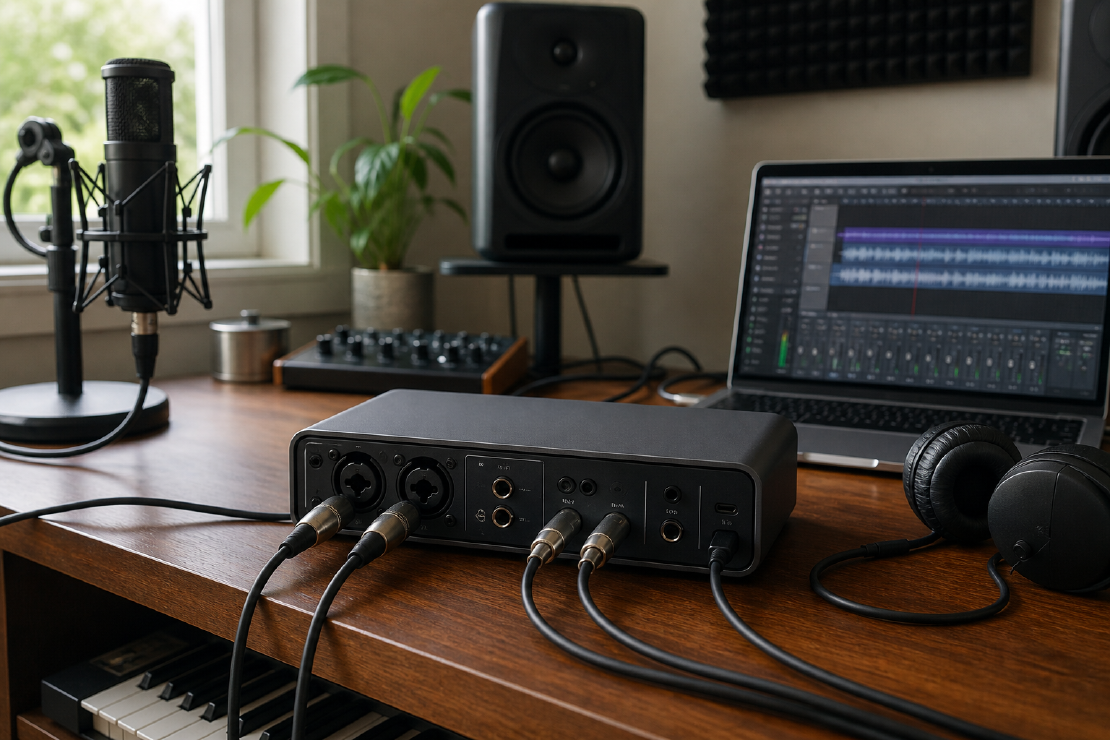
Most modern audio interfaces can make clean recordings. The common buying mistake is not choosing one with inadequate theoretical resolution. It is choosing one without the input, output, driver or monitoring feature the actual setup needs.
Write the signal flow before comparing products.
Count simultaneous sources
“Four inputs” may not mean four microphone preamps. Separate the connector types:
- microphone inputs with preamps;
- line inputs for keyboards, external preamps or mixers;
- high-impedance instrument inputs for guitar or bass;
- digital inputs such as ADAT or S/PDIF;
- loopback channels created in software.
A solo vocalist with one microphone needs less than a live drum recording. A stereo keyboard uses two line inputs. Two musicians who both need microphones and instruments can consume four inputs quickly.
Count what must be recorded at the same time, then add only a realistic margin.
Count outputs properly
Outputs matter when using:
- studio monitors;
- more than one headphone mix;
- external effects;
- a re-amping box;
- multiple speaker pairs;
- separate feeds for streaming or video.
One headphone socket is awkward for two performers. A splitter does not create two independent mixes. If separate mixes matter, the interface needs suitable output routing or an additional headphone system.
Make an I/O inventory
Fill this in for the most demanding session you realistically expect to record. Count simultaneous connections, not every instrument you own.
| Source or destination | Connector needed | How many at once? | Microphone preamp? | Phantom power? | Separate monitor mix? |
|---|---|---|---|---|---|
| Lead vocal | XLR | 1 | Yes | Depends on microphone | Performer mix |
| Guitar | Instrument or microphone | 1 | Only if miked | Depends on microphone | Performer mix |
| Stereo keyboard | Two line inputs | 2 | No | No | Usually no |
| Studio monitors | Two line outputs | 2 | No | No | Control-room mix |
Replace the examples with the actual setup, then total each connector type. A product that advertises eight inputs may still fail the list if only two of them are microphone inputs.
Check microphone gain
Quiet dynamic and ribbon microphones can require more gain than sensitive condensers. Compare the interface’s gain range and noise performance with the microphone and source.
Test the microphone at its intended distance before adding an inline booster. If the preamp already reaches a clean working level without objectionable noise, the additional device is unlikely to improve the recording.
Condenser microphones generally need phantom power. Check whether it can be enabled per channel or only in groups if mixed microphone types will be used.
Driver stability beats headline resolution
Reliable drivers, operating-system support and low-latency performance affect every session. Look for:
- current support for the computer and operating system;
- a clear update history;
- round-trip latency reports at realistic buffer sizes;
- stable sleep and wake behaviour;
- direct monitoring when zero-latency input monitoring is needed;
- control software that remains available for the platform.
Converter specifications cannot compensate for a driver that interrupts recordings.
192 kHz is not a buying strategy
Sample rate describes how many samples are captured each second. Higher rates increase data and CPU requirements. They can also reduce available channels over some digital connections.
For ordinary music delivery, 44.1 kHz is common; video workflows commonly use 48 kHz. Higher rates can have specialist production uses, but selecting 192 kHz does not repair microphone placement, room acoustics, clipping or a poor performance.
Record at the rate required by the project and keep every digitally connected device on the same clock and sample rate.
Additional features to check
| Feature | Who needs it |
|---|---|
| Direct monitoring | Performers distracted by software latency |
| Loopback | Streaming, calls, tutorials and screen recording |
| MIDI DIN | Hardware synths without suitable USB MIDI |
| ADAT input | Future multi-channel preamp expansion |
| Two headphone outputs | Two performers needing convenient monitoring |
| Bus power | Mobile recording with a compatible computer |
| Standalone mode | Using the interface without a computer |
Expansion is worth paying for when the planned recording setup is likely to use it. Base the decision on a realistic near-term requirement rather than a theoretical maximum.
Check compatibility beyond the plug shape
USB-C describes a connector, not the full protocol or guaranteed performance. Confirm cable requirements, power delivery, supported operating systems and whether a hub is acceptable.
Also check whether the interface can drive the intended headphones to a useful level and connect to the speakers without adapters that create noise or level problems.
A practical buying order
- List every source recorded simultaneously.
- List every separate monitor or headphone feed.
- Check microphone gain and phantom-power needs.
- Confirm computer, driver and software support.
- Decide whether direct monitoring or loopback is required.
- Add one realistic expansion path.
- Compare noise, distortion and price only among interfaces that pass the first six tests.
The right interface is the boring one that connects everything, stays stable and gets out of the way. A larger sample-rate number cannot compensate for a missing input.